







Price: $29.00 - $24.65
(as of Jan 25, 2026 18:39:05 UTC – Details)

Product description
The video showcases the product in use.The video guides you through product setup.The video compares multiple products.The video shows the product being unpacked. Check the compatibility before purchase Merchant Video
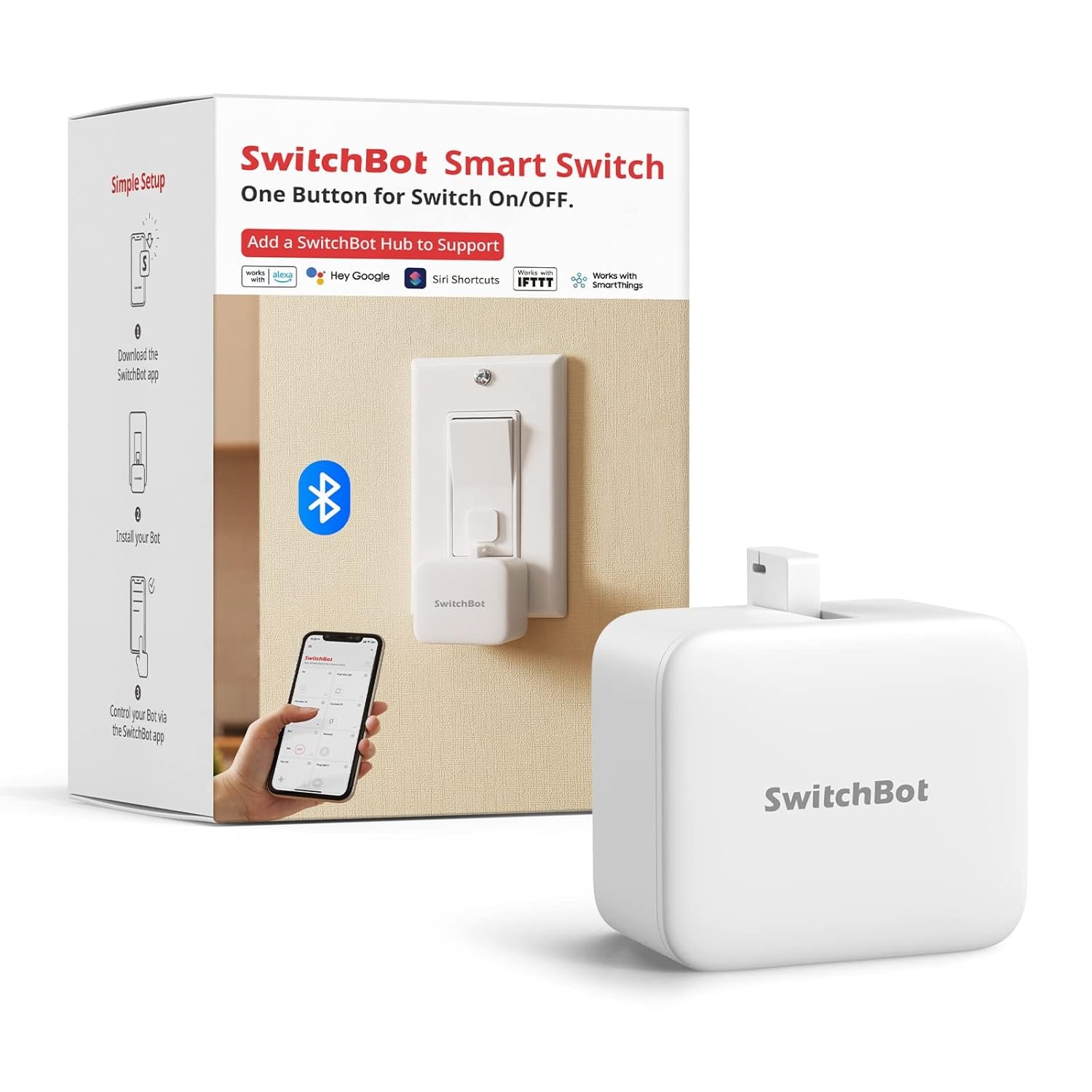
SwitchBot is your simple switch to a smart home. With easy setup, we help you to create a comfortable home with innovative smart home products.
Check the compatibility before purchase
Check Compatibility Before Purchase 
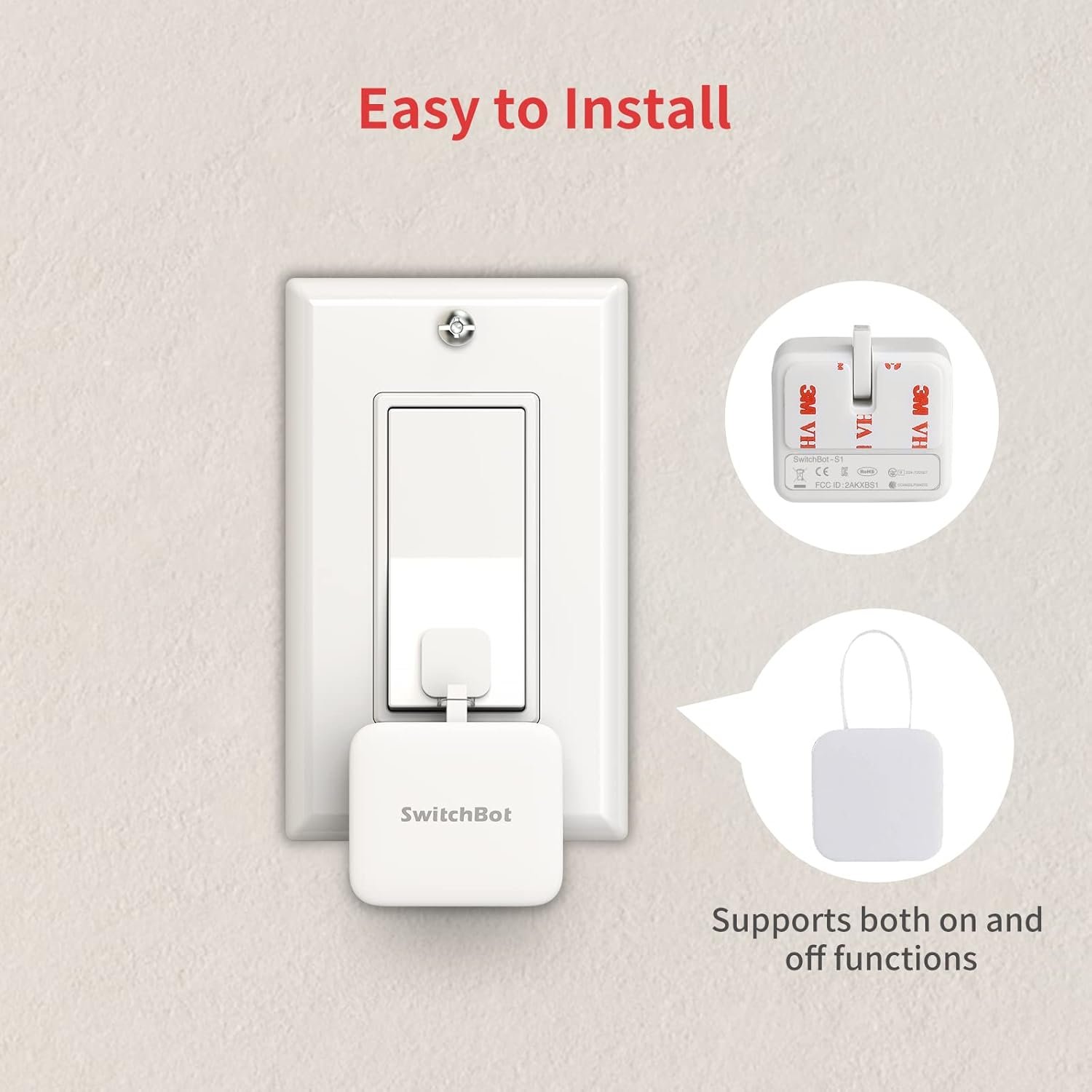
Easy to set up 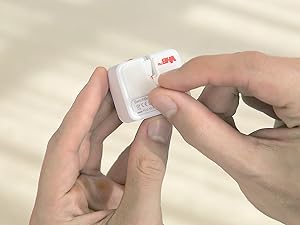 Tear off the 3M sticker
Install in 3 seconds.
Note: Built-in CR2 battery. Before the first use, please remove the plastic battery isolation tab.
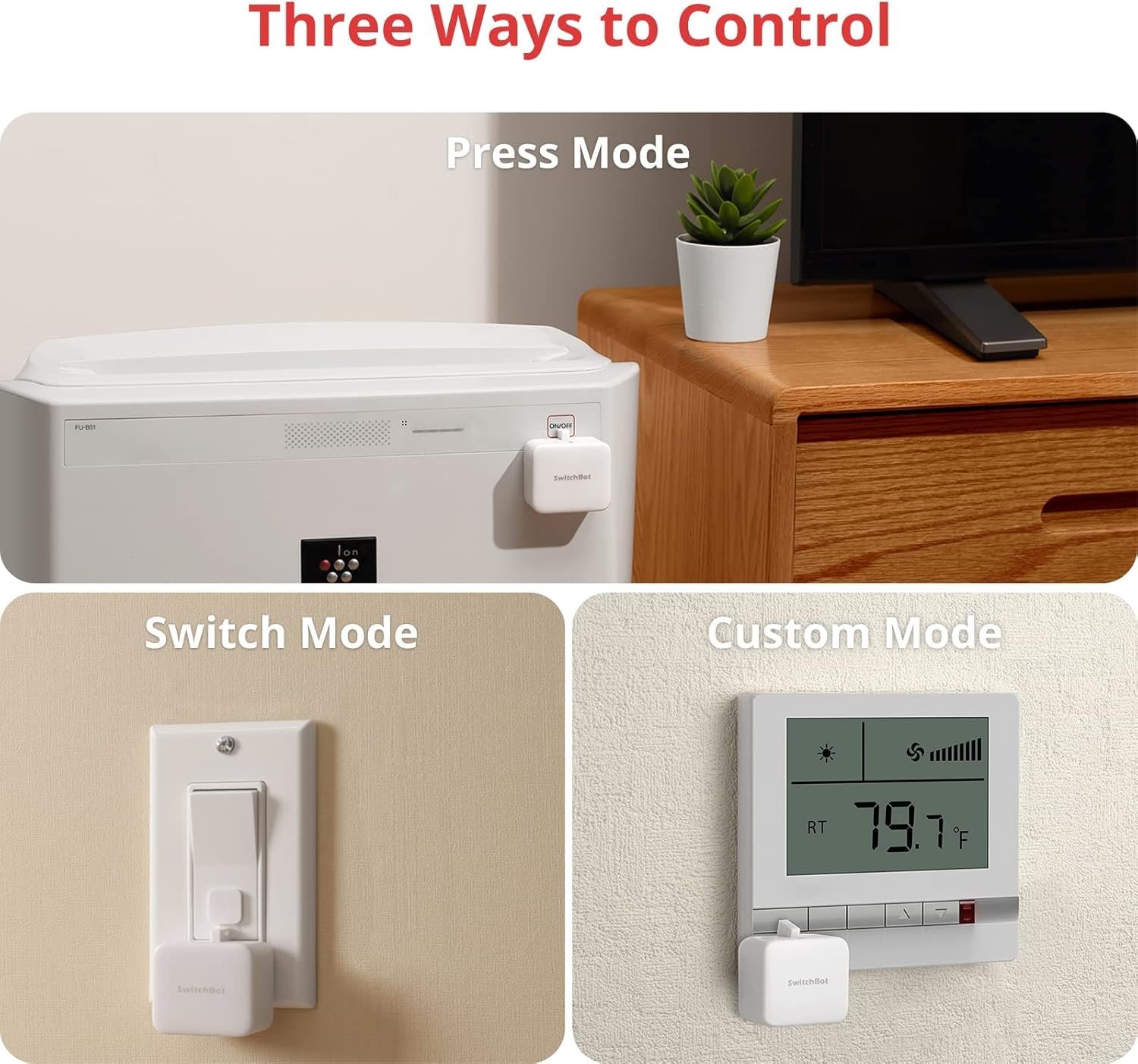
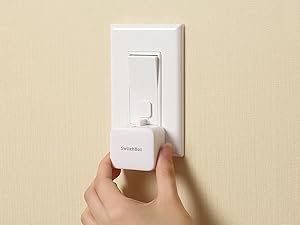 Attach near a switch or button
Just tape it next to a button or switch with no tools required.
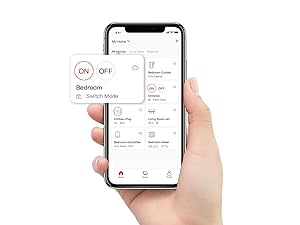 Tag the icon in the App
Turn switch or button ON/OFF in the App.
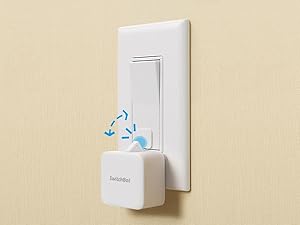 Push or pull
Push by the arm inside and pull by the Add-on.
Note: Please use a regular brand 3V CR2 battery, otherwise the arm may not push and pull.
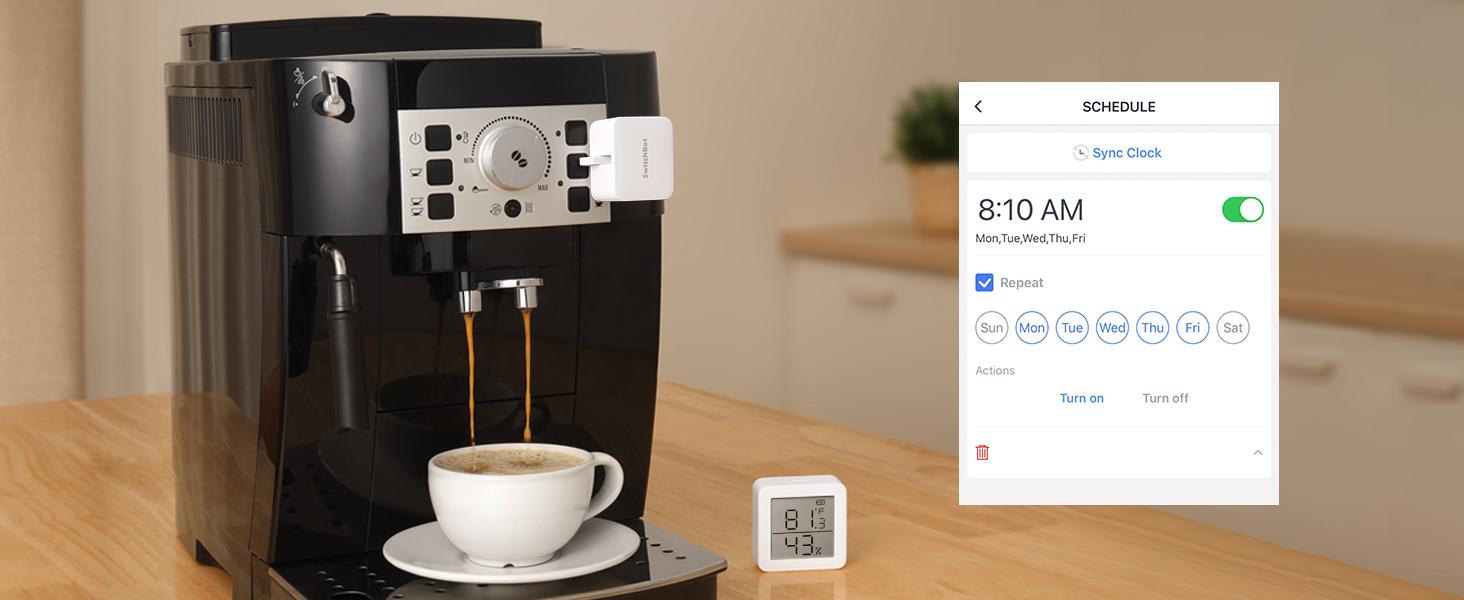 Automate with Schedule
Place it on a coffee machine or light switch and set a schedule to automatically turn it on or off.
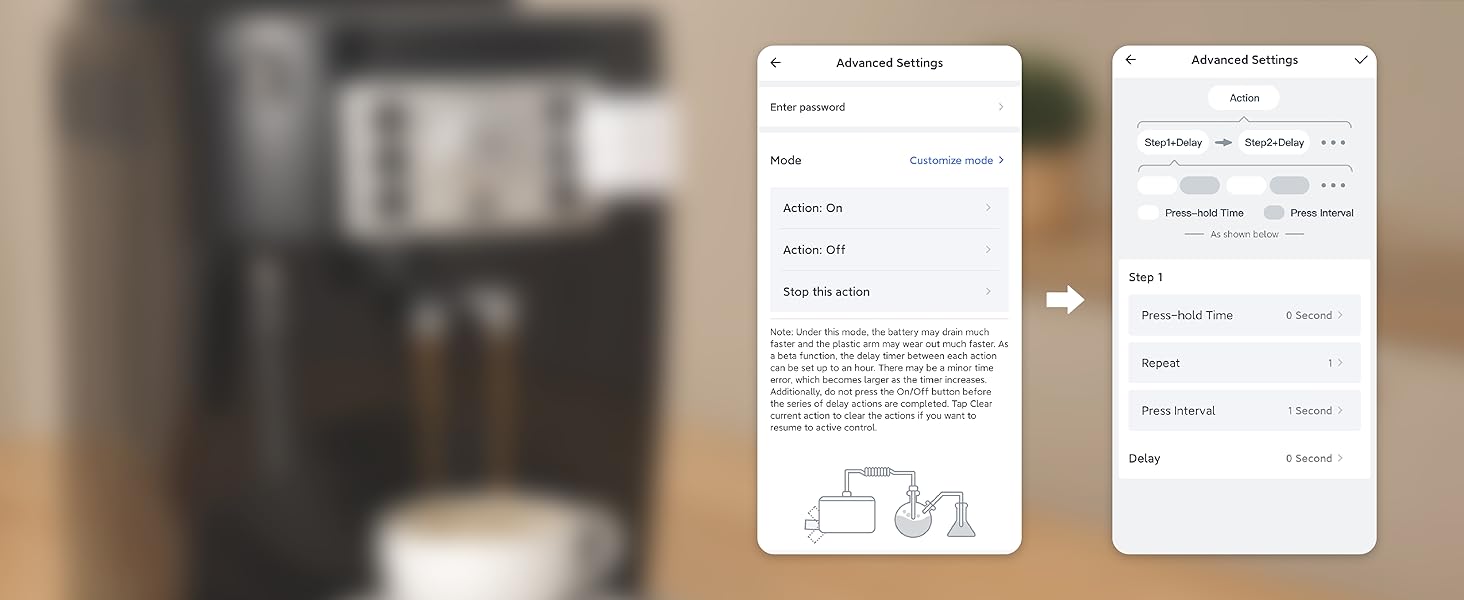 Repeat an action at a certain interval
Want to set a press-hold action at a certain interval repeatedly? Reach our team for a Beta version via Feedback in App. *Note this feature accelerates battery consumption and wears out the Bot arm.
 Turn any dumb appliance smart
Works with just about any rocker switch and button of any appliance.
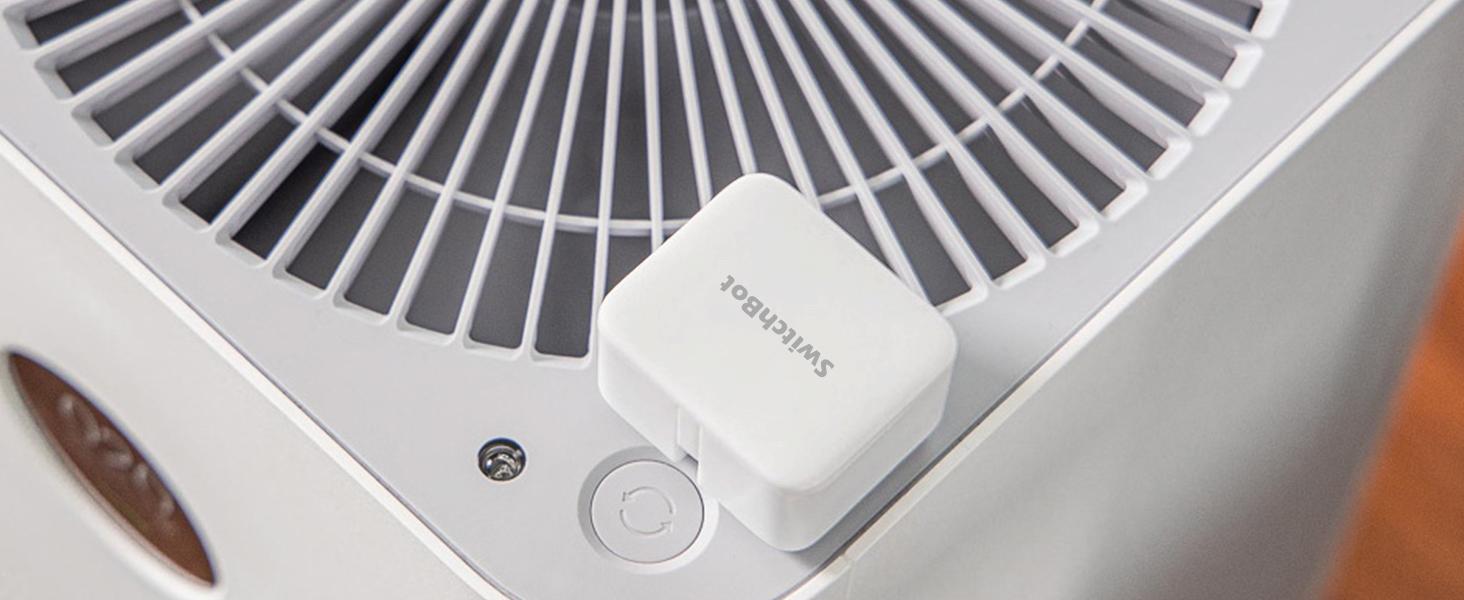 Power saving
Extreme power-saving BLE technology allows 600 days of use powered by a replaceable battery.
 Automate with Sunrise/Sunset mode
At selected locations, return to a bright room after get off work in the evening.
 High Compatibility
SwitchBot is compatible with most rocker buttons and one-way switches, but not toggle switches and touch screen buttons. Not support overly hard or aged buttons.
How do I know if SwitchBot works or not? 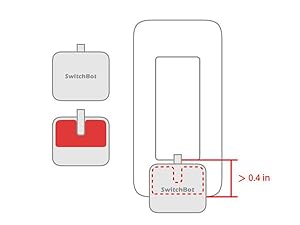 Space for the sticker
Space for the sticker requires more than 1cm (0.4 inches), and better to wait 24 hours after being stuck.
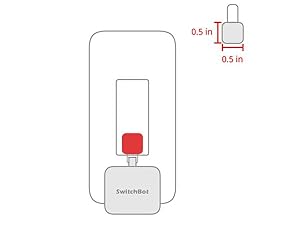 When to use add-on
In the case of applying an add-on to a rocker switch, the surface should be clean, flat, and has enough room.
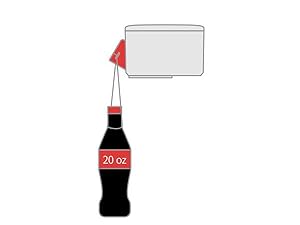 Strong for most
The Bot clicks down with a force strong for most, and still gently for not to break things.
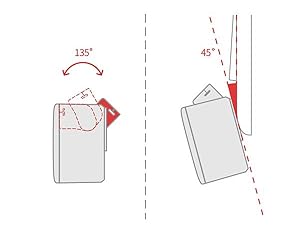 Maximum swing angle
The max swing angle of SwitchBot is 135 degrees. Make sure the Bot is on a surface where the arm could reach the switch or button when pushing down.
More Control Methods(Separate Purchase Required)  App Control
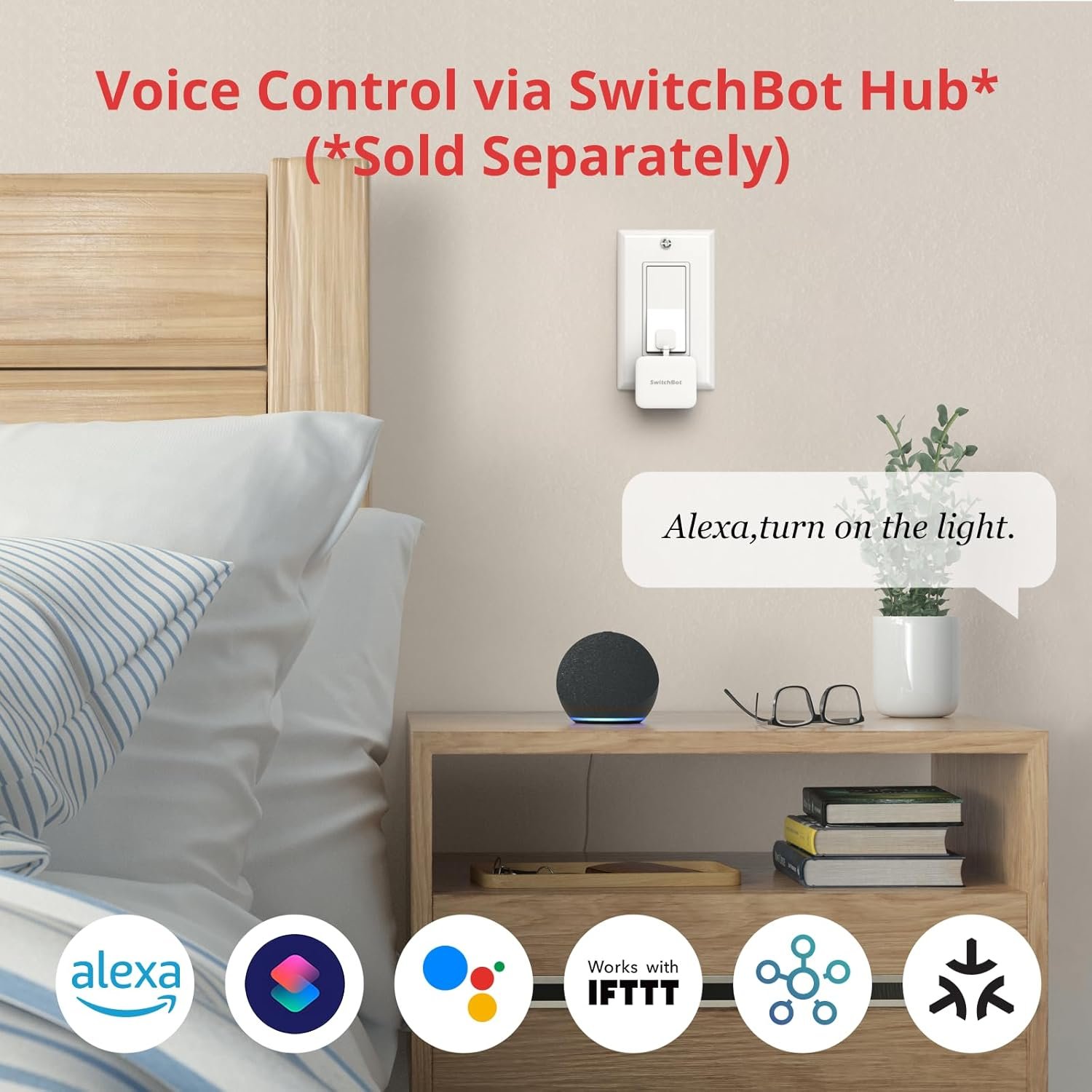
By adding the SwitchBot Hub Mini or SwitchBot Hub2 (sold separately), you can control your Bot when you 1000 miles away from home!
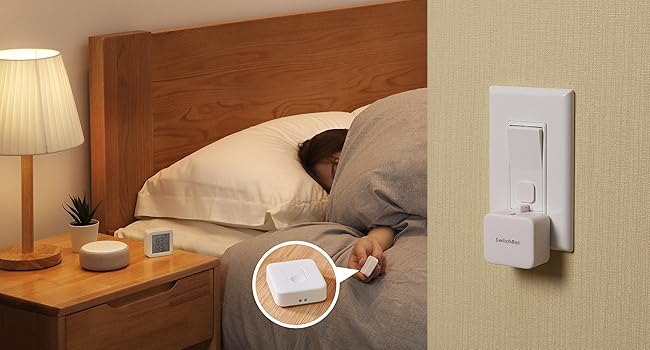 Remote Control
No need to operate your phone & voice control, just push the SwitchBot Remote(sold separately) button to turn off the light.
Enhanced Control Distance (Pairing within 5m)  Enjoy Voice Control with SwitchBot Hub
Just say the words. With a SwitchBot Hub(sold separately), the Bots can be voice-controlled by Alexa, Google Assistant, Siri, and SmartThings. Enjoy the hands-free experience by saying “Alexa, turn off the light”, “Hey Google, a cup of coffee please”, or “Hey Siri, open the garage door”.
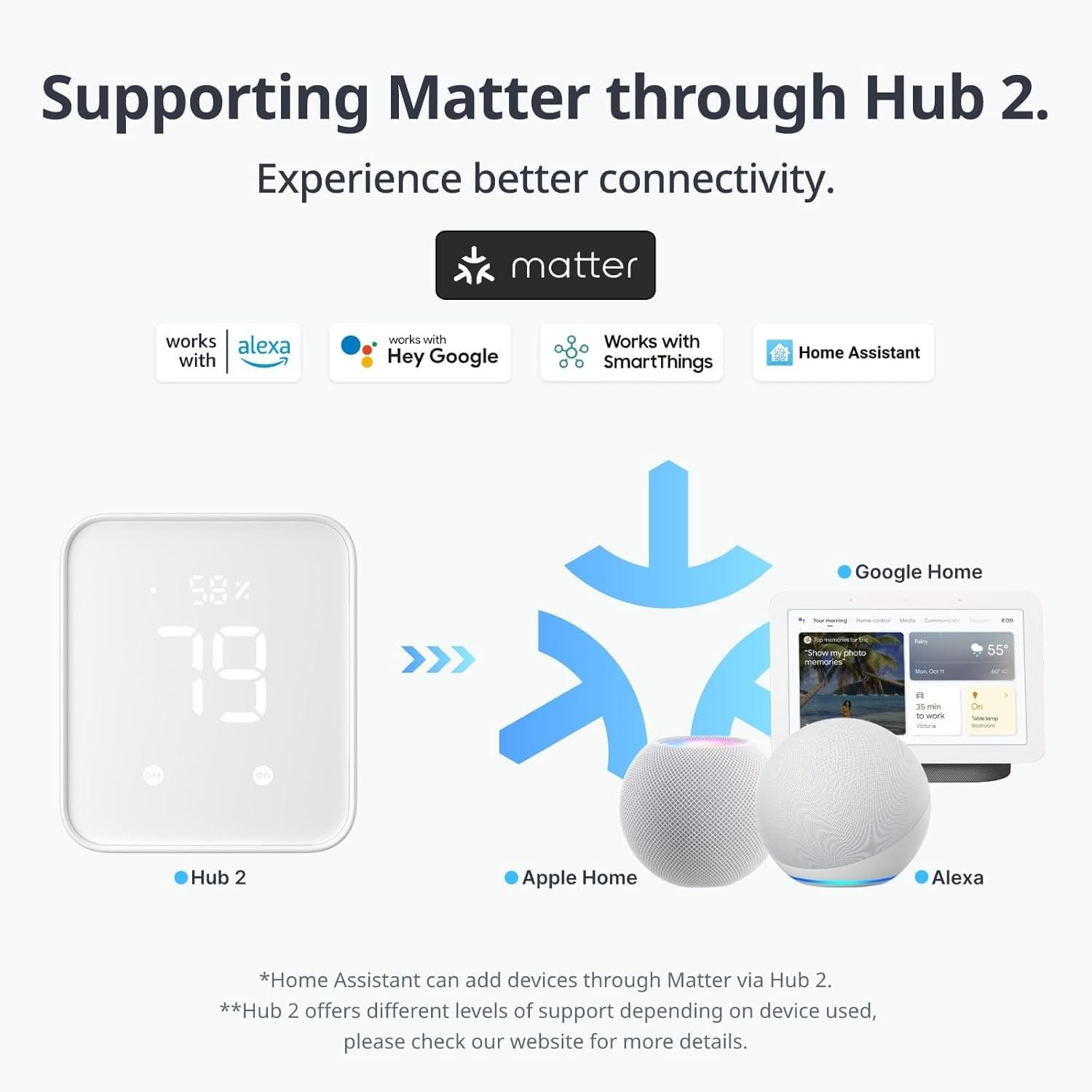
 Now supports HomeKit via Matter
SwitchBot Bot is supported via Matter when using SwitchBot Hub2 (sold separately), which in turn helps make your device supported via HomeKit. Now add SwitchBot Bot to Apple Home for an even better smart home experience.
【Universal Compatibility】The SwitchBot Bot works with most rocker switches and one-way buttons, helping automate coffee machines, air conditioners, garage doors, and more. Supports Rocker, Rocker (Button Type), and One-way switches. Does not support toggle switches, mini switches, touchscreens, or overly hard/aged buttons. If your Bot loses connection, please check the battery level, update the SwitchBot App & firmware, or contact our support team.
【Easy to Install and Use】Mount next to any supported switch with the included 3M adhesive in seconds—no tools required. Control via Bluetooth using the SwitchBot App, or add a SwitchBot Hub for Wi-Fi & cloud control (sold separately). Battery lasts up to 600 days based on twice-daily usage. (Use a standard 3V CR2 battery for optimal pushing force.)
【Built-in Timers】Create on/off schedules in the SwitchBot App that run independently without your phone or Hub. Automate lights, fans, or appliances—even when you’re not at home.
【Works Even Better with SwitchBot Hub】When paired with a SwitchBot Hub (sold separately), SwitchBot Bot supports remote control from anywhere, and voice control through Alexa, Google Assistant, Siri, and IFTTT (2.4 GHz Wi-Fi required). Before linking with a Hub, please ensure your SwitchBot App is up to date, both the Bot and Hub Mini/Hub 2/Hub 3 are added to the App with the latest firmware installed, and Cloud Service is enabled within the Bot’s settings, as these are required for Hub connectivity.
【Now Supports HomeKit via Matter】SwitchBot Bot now supports Apple Home when used with SwitchBot Hub 2 (2nd Gen) via Matter. Enjoy smoother integration and improved smart home automation.
【Part of the SwitchBot Ecosystem】Use Scenes in the SwitchBot App to link with other SwitchBot products or integrate through SwitchBot API to build a customizable smart home system.
【Additional Notes on Switch Mode & Installation】SwitchBot Bot supports Press Mode for button pressing and Switch Mode for pushing or pulling rocker switches (Switch Mode requires an add-on). If you need the Bot to stay on or keep a switch in position, please make sure you are using Switch Mode, not Press Mode. You can switch modes anytime in the App. For best adhesion, ensure the mounting surface is clean and dry, apply the adhesive firmly, and allow 24 hours for full bonding. Detailed instructions and diagrams are available in the user manual.
You may also like
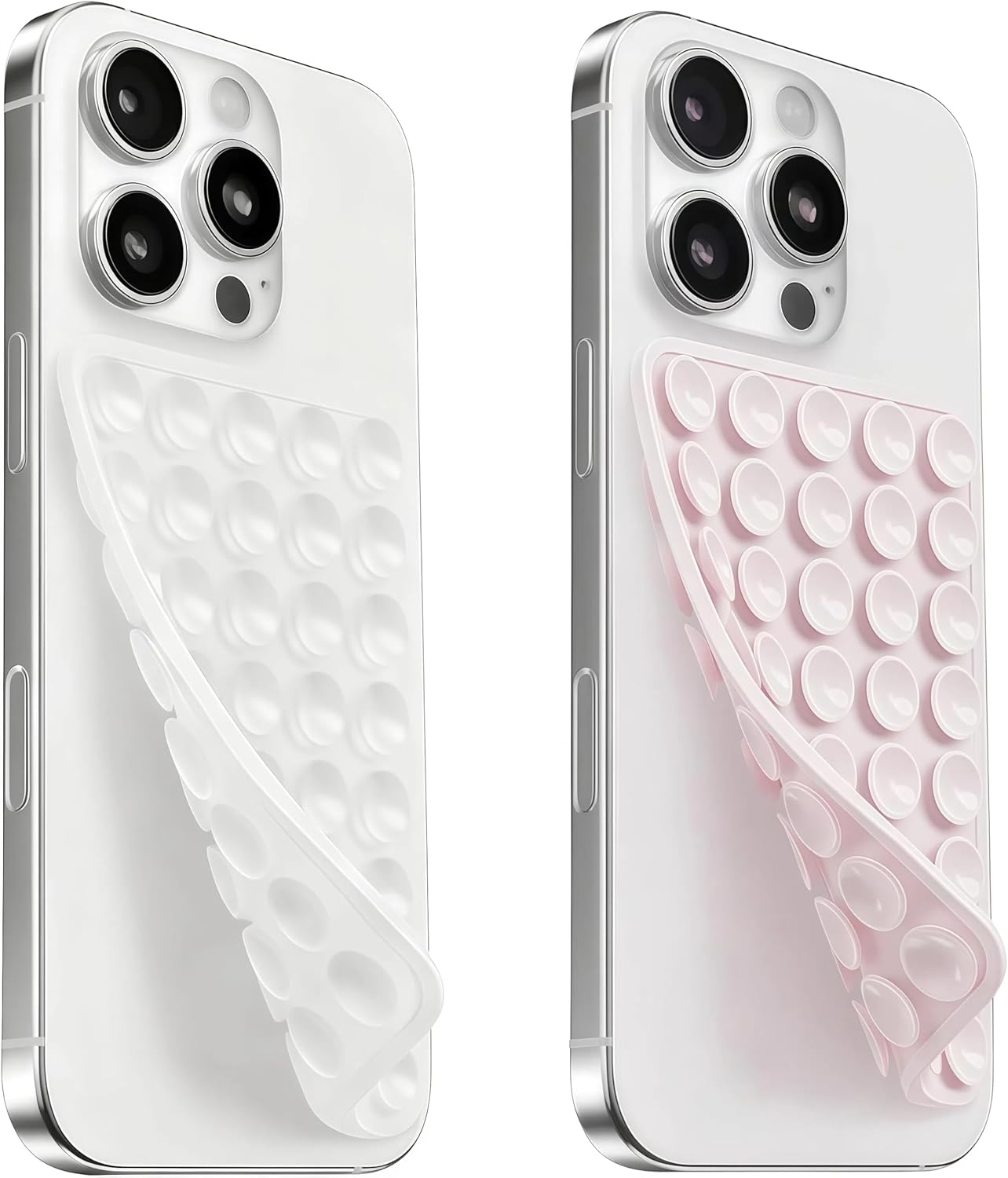
(2 Pack) Silicone Suction Cup Phone Case Mount Double Sided, Sticky Phone Grip with Higher Suction Power for Cell Phone, Hands-Free Phone Accessories for Selfies and Videos, Clear & Light Pink
![[2 Pack] PD Dialysis Belt Breathable Peritoneal Dialysis Accessories Peg J Tube Catheter Belts Holder Feeding Tube Supplies for Stomach Women Men Adults Beige](https://m.media-amazon.com/images/I/715+VqPdA2L._SL1500_.jpg "[2 Pack] PD Dialysis Belt Breathable Peritoneal Dialysis Accessories Peg J Tube Catheter Belts Holder Feeding Tube Supplies for Stomach Women Men Adults Beige")
![[24 Packs] BECOMTO Baby Safety Corner Guards,Premium Clear Furniture Edge Corner Protector with Strong 3M Gel Stickers Adhesive,Baby Safety Desk Table Sharp Corner Cushion Padding,Crystal Technology](https://m.media-amazon.com/images/I/81cRvhyPpkL._AC_SL1500_.jpg "[24 Packs] BECOMTO Baby Safety Corner Guards,Premium Clear Furniture Edge Corner Protector with Strong 3M Gel Stickers Adhesive,Baby Safety Desk Table Sharp Corner Cushion Padding,Crystal Technology")
![[MAT NOT Included] Yoga Mat Sling, Yoga Mat Straps for Carrying, Easy-Cinch Yoga Mat Holder Strap](https://m.media-amazon.com/images/I/61o2FkDyzML._AC_SL1500_.jpg "[MAT NOT Included] Yoga Mat Sling, Yoga Mat Straps for Carrying, Easy-Cinch Yoga Mat Holder Strap")

0.5 Sec Instant Read Meat Thermometer Digital with ±0.5℉ Precision, Food Thermometer for Cooking Kitchen Gadgets, Oven Grill Candy BBQ Essentials Accessories, Gifts for Him Dad Men Birthday, Red


Reviews
Clear filtersThere are no reviews yet.